View Preferences
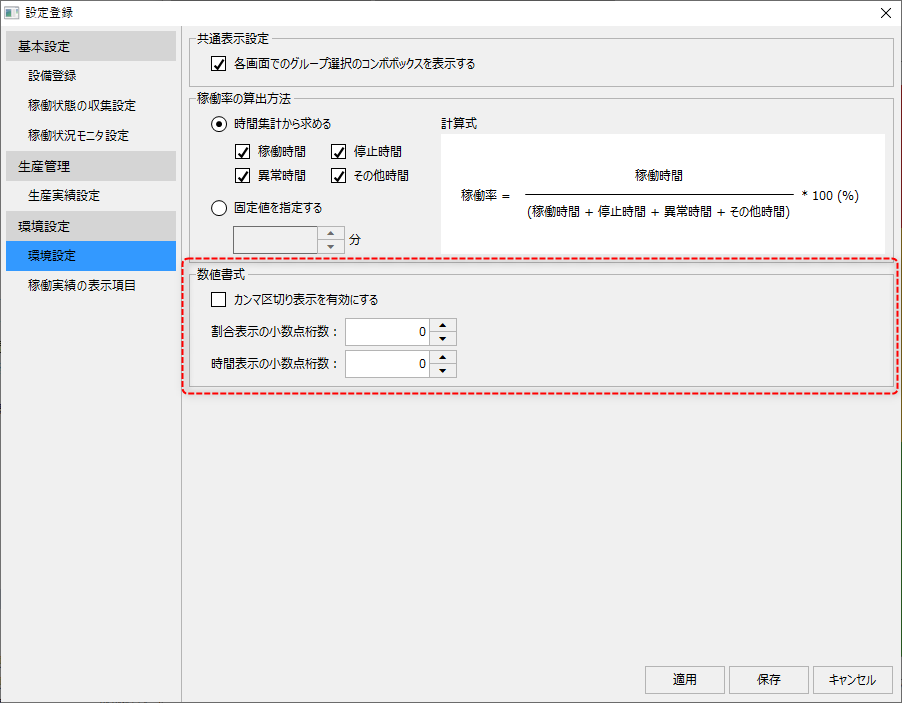
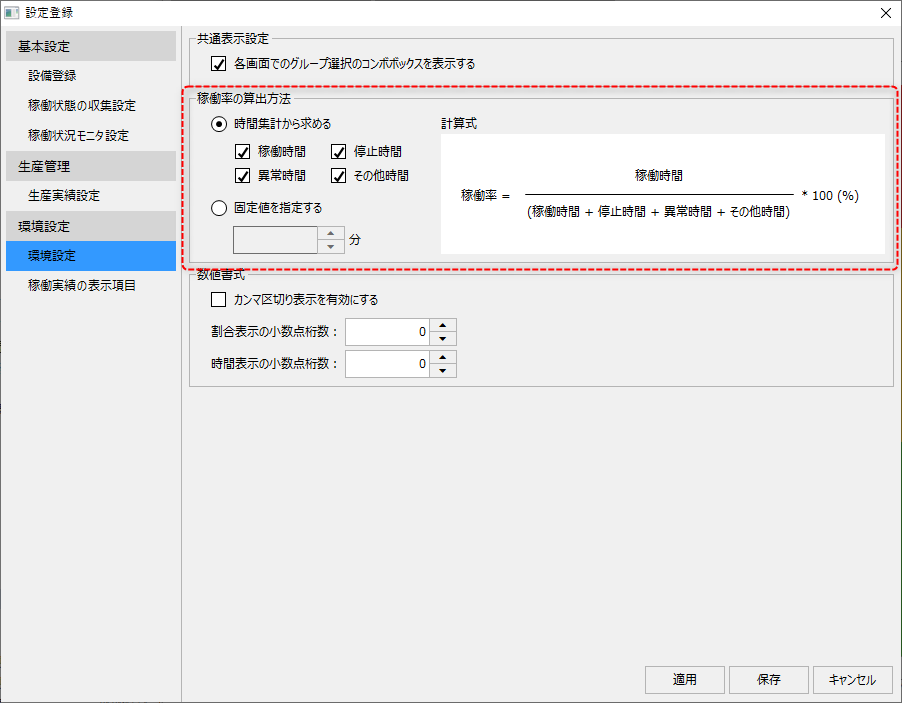
When you select "Environment Settings" from the left menu on the settings registration screen, the display in the center of the screen will change as shown below.
(Settings registration screen: Environment settings)
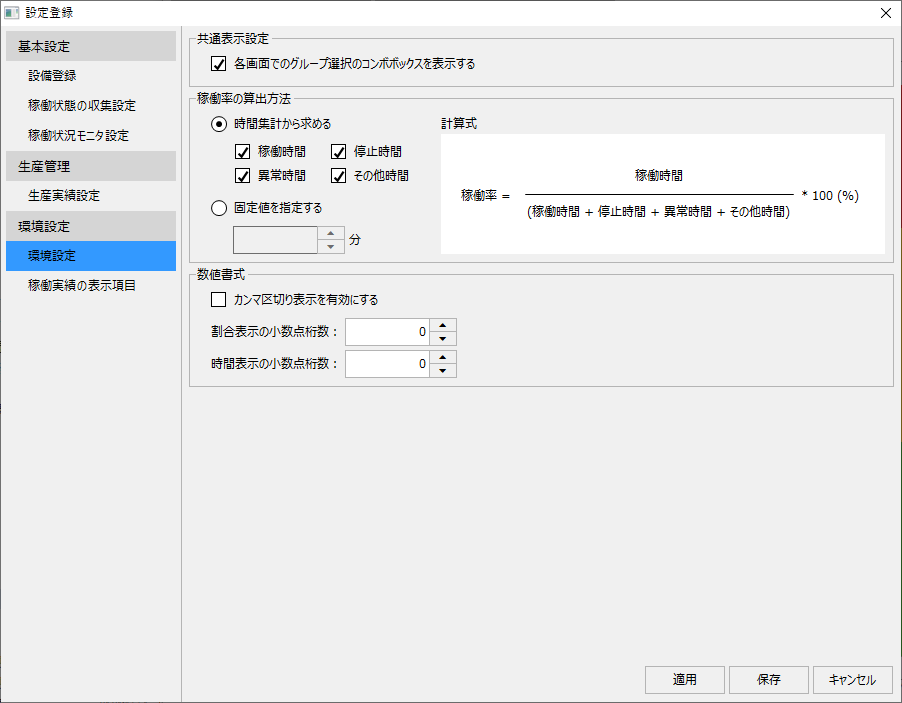
Setting item description
This section describes the settings for the environment settings.
|
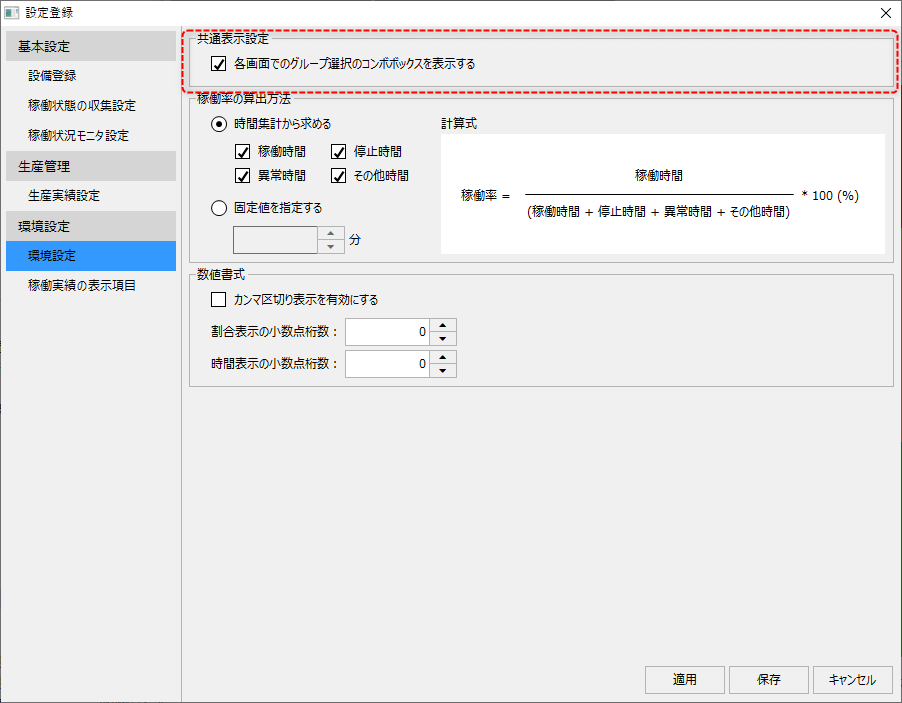
The common display settings include the following:
■ Show/hide the group selection combo box on each screen
If you uncheck the following, you can hide the group selection combo box that is displayed at the top of each operation monitoring screen.
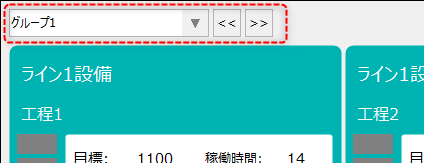
The group selection combo box is the combo box shown below that is commonly displayed in the upper left corner of each screen. For example, if you are only registering one facility group in the entire system, you can hide the group selection combo box by unchecking this box.
|

In the calculation method for the utilization rate, you can select either "Calculate from time aggregation" or "Specify a fixed value".
|
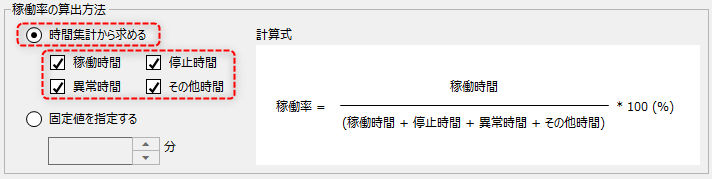
■ Calculate from time summary
In the settings below, select "Calculate from time summary" and check the time of the summary category you want to include in the denominator.
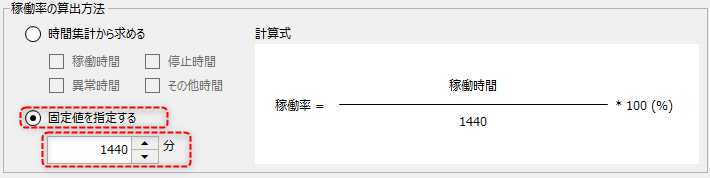
■ Calculate from a fixed value
In the following settings, select "Specify a fixed value" and enter a fixed value in minutes for the denominator. For example, if you want a day to be fixed at 24 hours, enter "1440."
|
Number format sets the format for numbers displayed on each screen.
|
|