Points to note when viewing multiple cameras
In split display, you can assign cameras to multiple display frames and use them as camera monitors.
If you want to display video from multiple cameras at the same time, pay attention to the fps settings on the camera itself. When displaying live video from multiple cameras side-by-side at the same time, the processing load may become very high due to the processing of streaming data sent simultaneously from each camera. In addition, the load on the network to which the cameras are connected will also increase, which may cause problems in communication processing other than with the cameras.
When displaying multiple cameras simultaneously, check the CPU load and network load of the client PC doing the monitoring, and tune the camera itself, such as lowering the fps setting, if necessary.
(Example of 40 camera images displayed simultaneously)
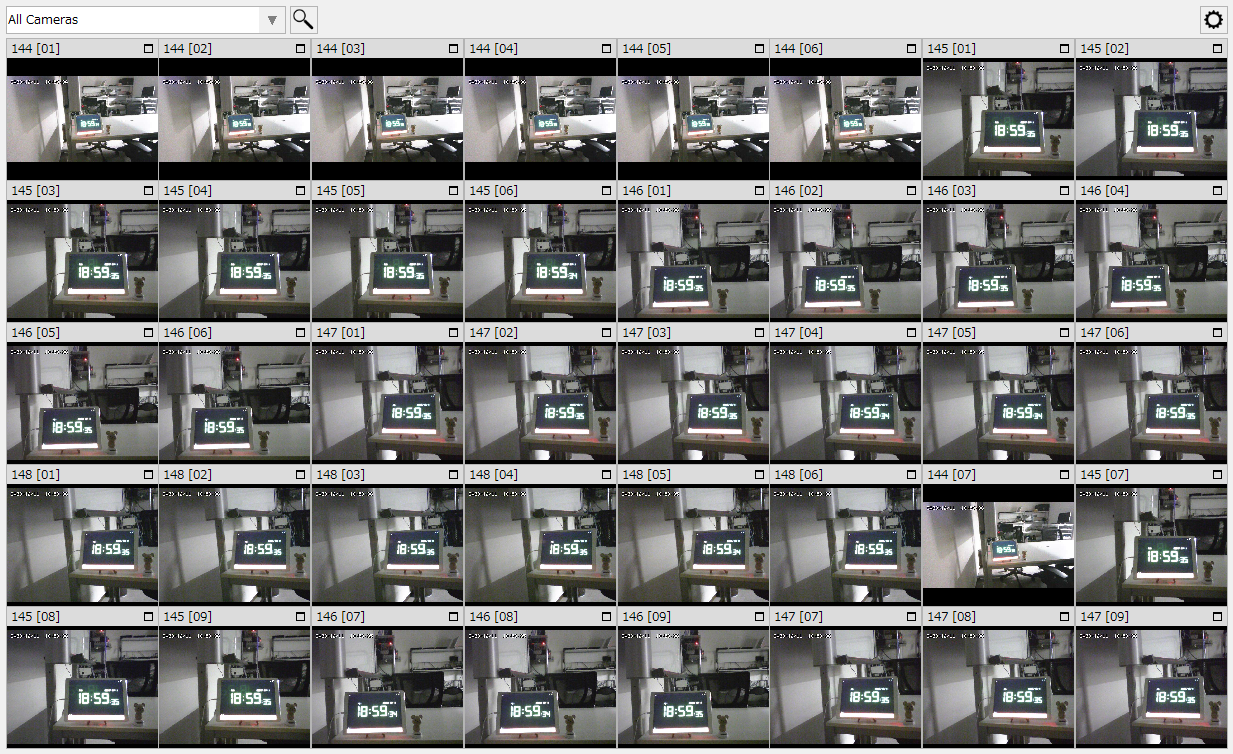
|
When displaying multiple cameras at the same time, make sure to set the playback method in the camera registration viewing settings to "OpenCV" and not "DirectShow". For details on camera registration, see "Camera registration operation". |

|
In general network cameras, the frame rate of the camera is set to about 30 fps (meaning that 30 frames of image data are sent per second). Also, the amount of data per frame varies depending on the resolution and compression rate of the image sent from the camera. If you want to display live images from multiple cameras at the same time, tune these settings appropriately. Note that these settings are set on the camera itself, and must be edited using the setting tool provided with the camera. |
|
When displaying images from multiple cameras simultaneously on a general PC, the limit is three cameras, or at most five cameras, with high fps (20-30 fps, 800*600 resolution, medium image quality). Although it depends on the system configuration and PC specifications, if the load is too high for a long period of time, the image display may freeze for a moment and become less smooth. On the other hand, if the fps of the camera itself is set low (1-2 fps, 800*600 resolution, medium image quality), up to 30-40 cameras can be displayed at the same time. |
|
If you need to monitor many cameras, consider registering them as separate groups for split display. The processing load when displaying camera video increases the more cameras in the same group that are displayed simultaneously. In other words, even if the total number of connected cameras is large, you can reduce the processing load by registering them as separate groups so that the number of cameras displayed simultaneously is reduced. |