Camera registration operation
Camera registration consists of three main steps: camera settings, viewing, and recording.
(Camera registration/camera settings)
|
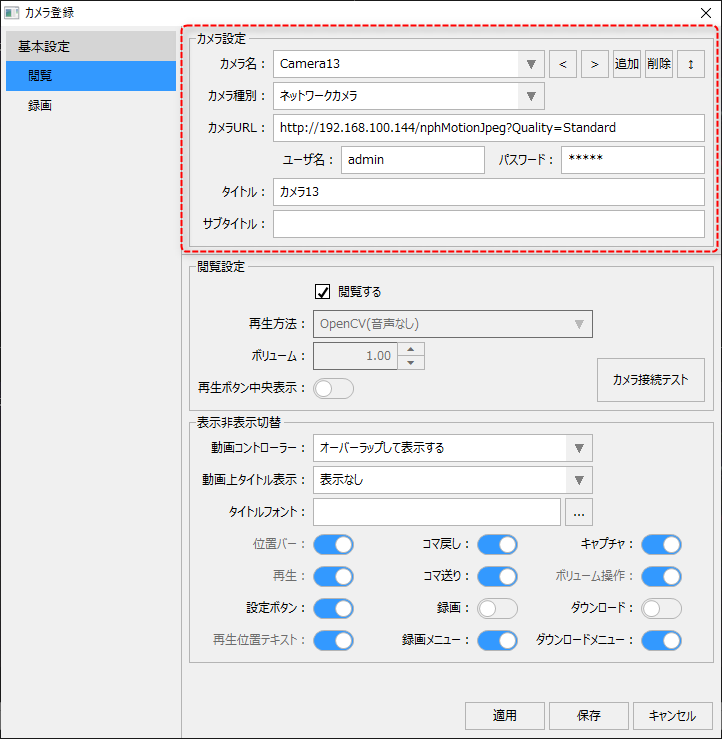
Camera settings are basic information such as the camera name and the URL to connect to the camera. Camera settings are made in the area shown on the left of the camera registration screen. This setting is common to both the viewing tab and the recording tab.
For information on camera settings, please refer to "Camera Settings (Common Settings)".
|
(Camera Registration/View tab)
|
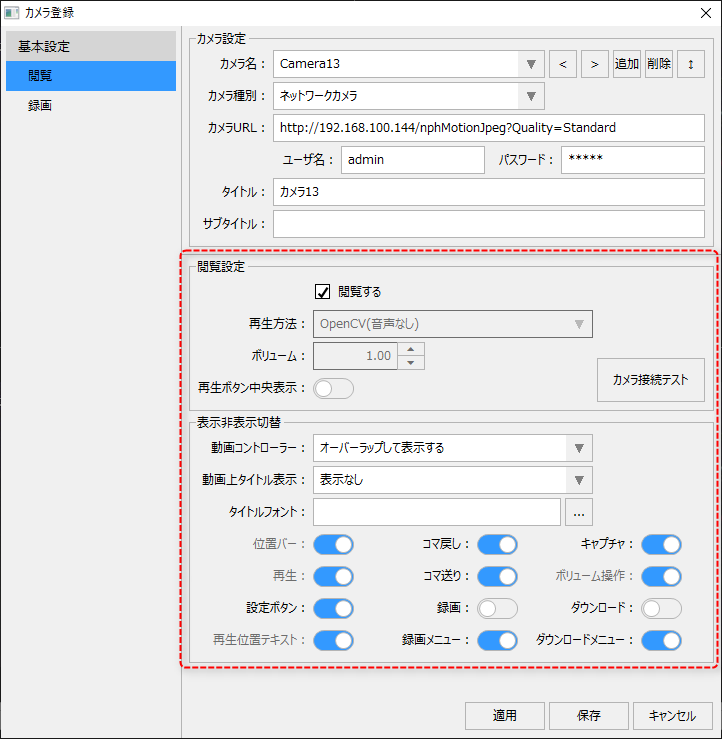
The View tab allows you to configure settings for playback of the camera and the layout of each controller on the video player.
For information on viewing settings, please refer to "Viewing Settings".
|
(Camera Registration/Recording tab)
|
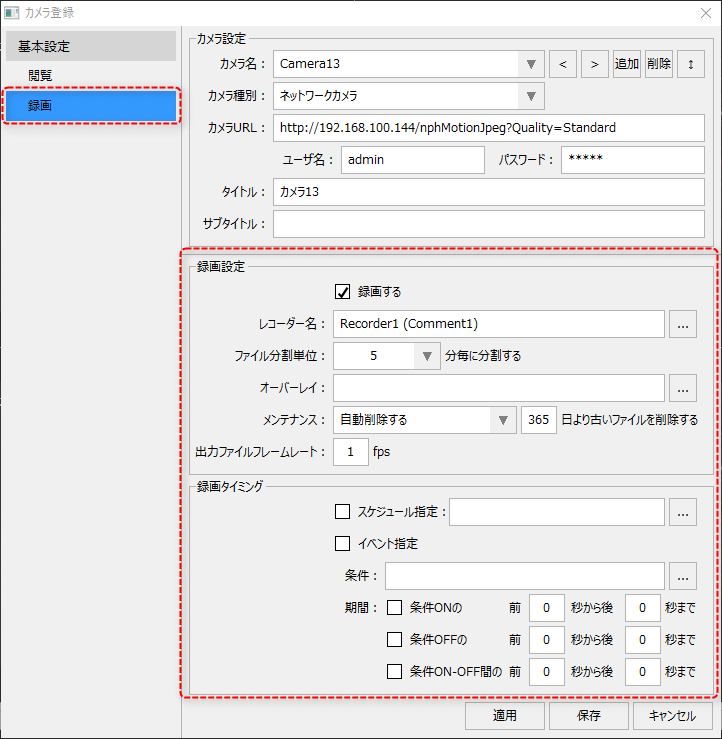
The Recording tab allows you to define various parameters for recording video from network cameras, register recorders, schedule recording timing, and set event-specific conditions.
For information on recording settings, please refer to "Recording Settings".
Furthermore, if you do not need to record videos and only want to view the footage from the network camera, there is no need to set up recording.
|