overview
Camera registration is available as a common setting function in the system. To display images from a network camera in a split screen or video recorder, you must register the camera. In addition, the video player part in the parts library can be linked to the camera information registered in the camera registration.
|
In standard projects built using the standard framework, the camera registration function is already built into the project, so you can use it right away. On the other hand, if you want to use camera registration in an original project that does not use the standard framework, you must manually add the camera registration screen library. For information on how to manually include the library, see "Manually including the camera registration screen library". |

|
Appendix "Network Camera Connection URL Setting Examples" contains examples of URL format settings for each camera that we have actually verified for connection. Please refer to this when connecting to a network camera. |
This chapter describes the camera registration operations.
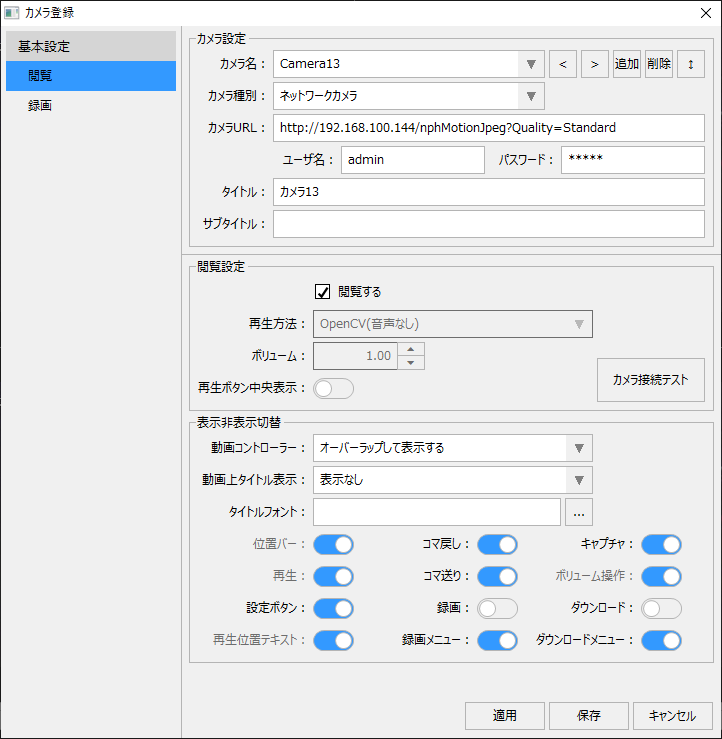
(Camera registration screen)
content |
overview |
|
|
This is an overview of the camera registration settings. |
|
|
This is an explanation of how to register a camera. We will explain how to set up each of Camera Settings, Viewing Settings, and Recording Settings. |
Manual incorporation of camera registration screen library
|
The camera registration screen is also provided as a screen library. This section explains how to manually incorporate the screen library. Note that in the case of a standard project, camera registration is already incorporated, so there is no need to incorporate it manually. |