Synchronized playback of multiple cameras
|
When playing back multiple recordings at the same time, the processing load on the PC playing the recordings may become very high depending on the frame rate and image quality of the recordings. For an estimate of the number of recordings that can be played back at the same time, please refer to "Number of recordings that can be played back at the same time" in the video recorder. |

|
In synchronous playback, in addition to playing back data recorded with the video recorder function, you can also play back data recorded with Nekaroku. Nekaroku is a recording and distribution server for network cameras from Mitsubishi Electric Information Network. For information on linking with Nekaroku, please refer to "Linking with Mitsubishi Electric's "Nekaroku"". |

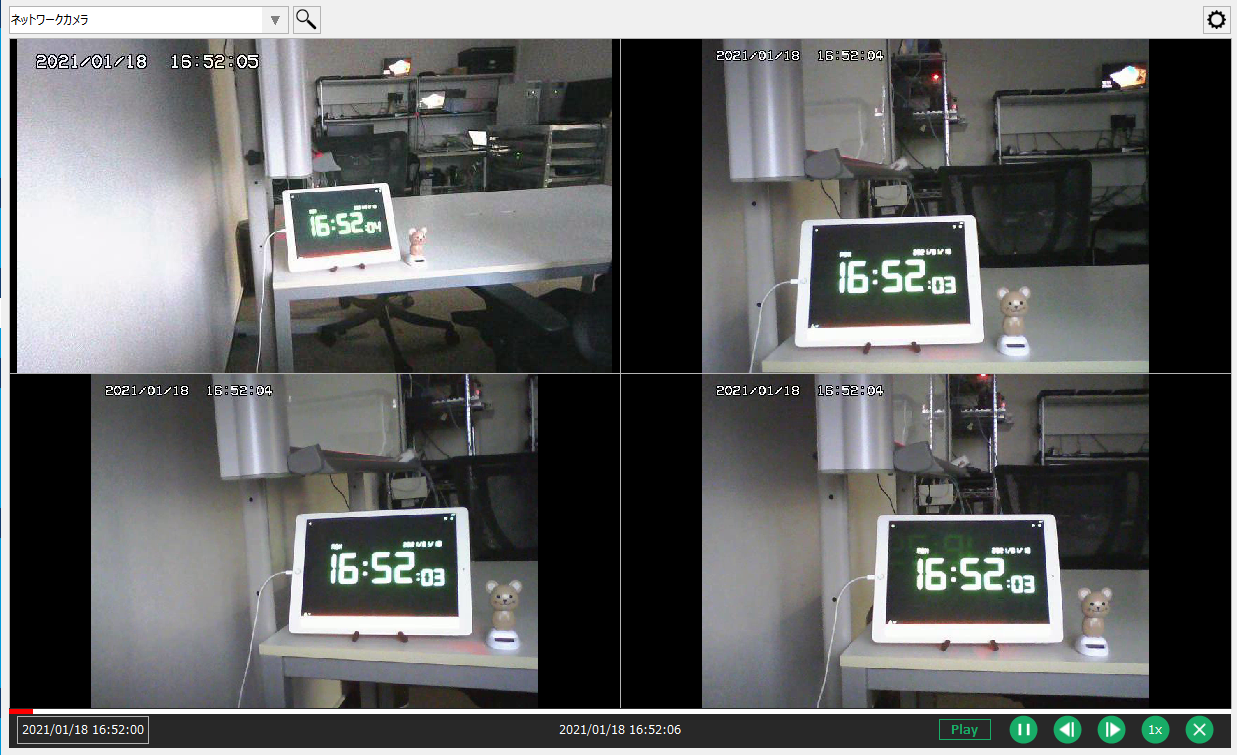
In split display (camera monitor), you can play back the recorded data of the camera currently being displayed synchronously. When you select "Perform synchronous playback" from the settings menu, operation icons for synchronous playback are displayed at the bottom of the screen.
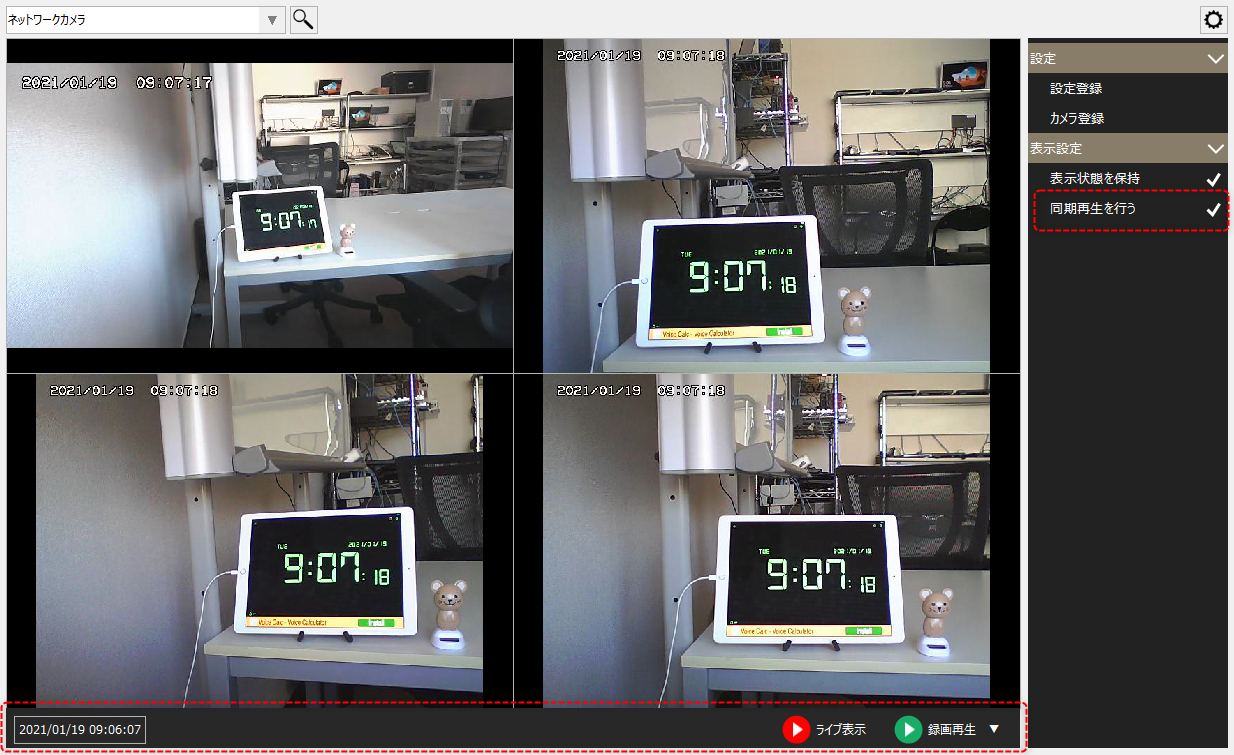
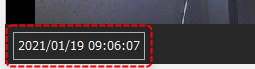
To change the start date and time of synchronous playback, click the date and time in the bottom left of the screen.
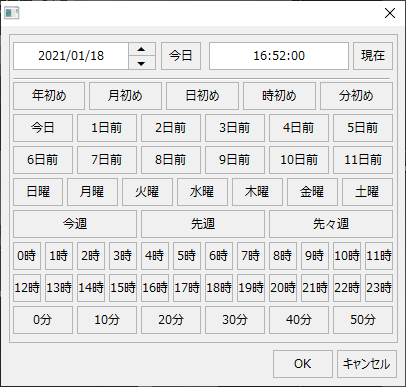
The date and time selection dialog will appear. Select the desired date and time and click the OK button.
(Date and time selection dialog)
Once you have selected the start date and time, click Play Recording.

The recording data from the currently displayed camera will then be played back synchronously, starting from the specified date and time.
|
While playing back recorded data, the icon display will change as follows:
You can pause the recording video that is currently playing by clicking the icon below.
Click the icons below to rewind or advance one frame.
The following icons allow you to change the playback speed.
Click the icon below to end the recording.
|




|
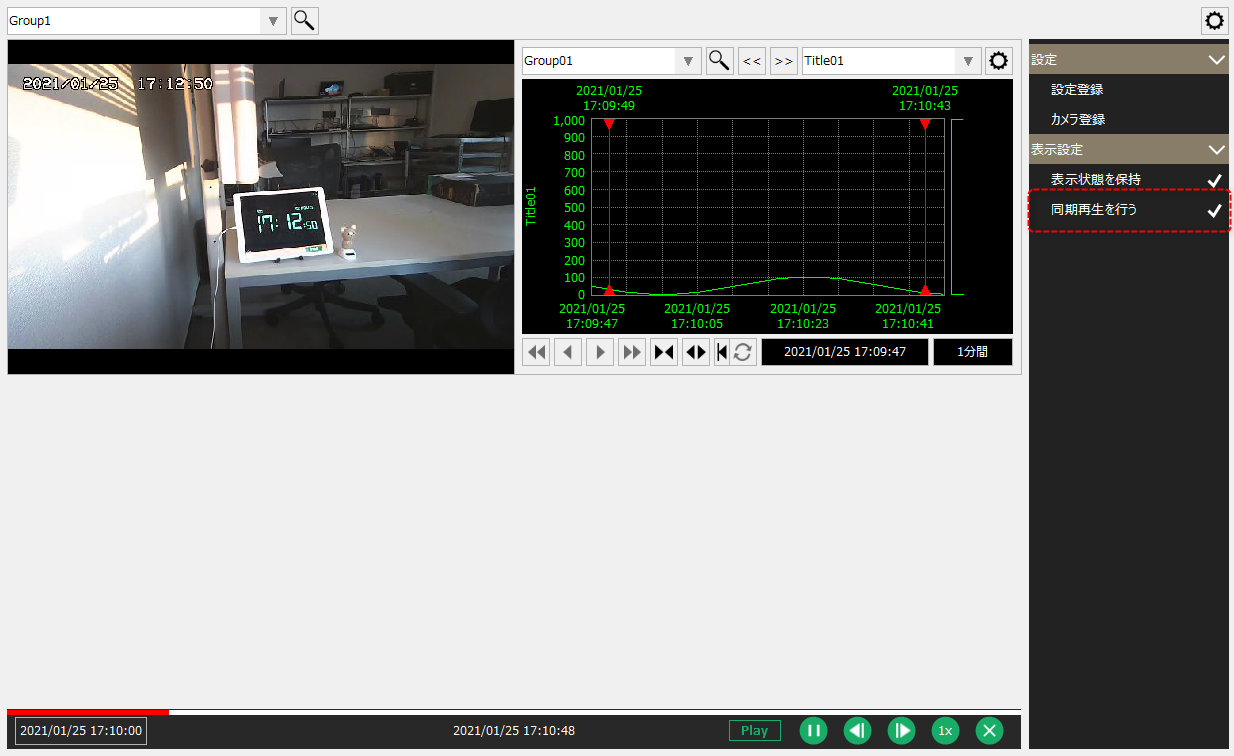
In addition to playing back recorded data from a camera, synchronous playback can also be used to synchronously display trend graphs, etc. For example, if you register a camera and a trend graph in the same group in a split display and synchronously play back recorded data from a certain date and time, the history data for that date and time will be displayed on the trend graph screen.
(Example of synchronized playback of camera and trend)
|