Camera control dialogue for Nekaroku
If you connect a network camera that supports so-called PTZ functions such as pan, tilt, and zoom to Necarok, you may be able to control the camera via Necarok.
If you connect to a model that allows camera control via Necarok, you can control the camera by using "Camera Control (Necarok)" in the Extended Common Dialog.
For details, please refer to "Camera Control (Nekaroku)" in the Extended Common Dialogue.
(Extended Common Dialogue/Camera Control (Nekaroku))
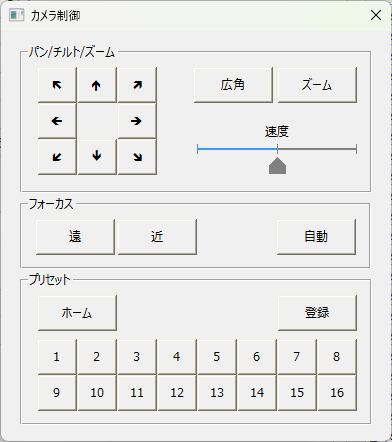
|
For details on how to set up Nekaroku and the camera body required to use this function, please refer to the camera settings description in the Nekaroku manual and the manual for the camera you are using. |
