overview
The standard project of FA-Panel comes with a powerful feature called "Related Information Function".
Defining related information enables the linking of information across functions. For example, based on the occurrence date and time of a record selected from the alarm history list, you can instantly play back the recorded data for that date and time on the camera monitor (split display) or call up a history trend graph for that date and time.
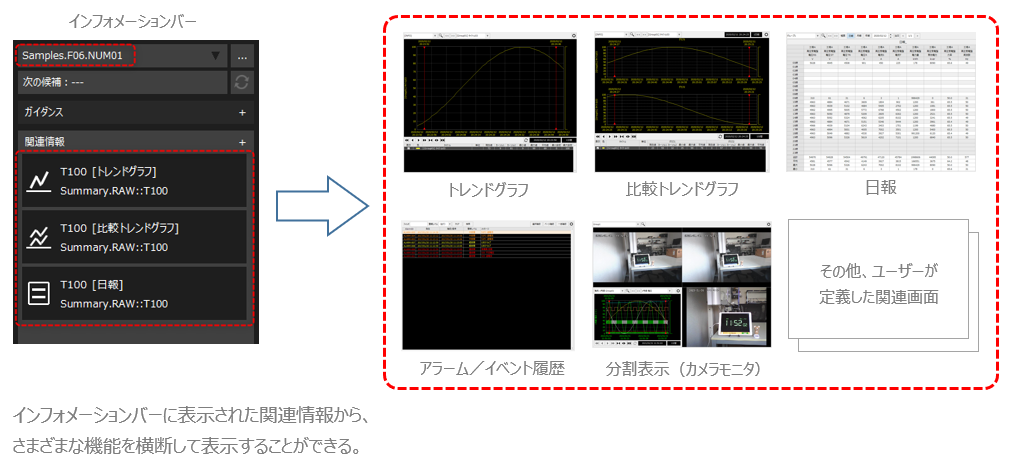
This chapter explains how to link functions using the related information function.
content |
Contents |
|
|
Related InformationThis is an overview of the function. It explains what you can do with this function and how to use it. |
Related information selection operation
|
Related information can be selected from the information bar. This section describes how to select related information from the information bar. |
|
|
Related information can be freely registered during system operation. This section explains how to operate the related information setting registration screen. |
Examples of using related information
|
This is a specific example of how to use the related information function. We will introduce examples of how to configure this function, such as how to link the alarm history to the camera monitor and trend graph. |
|
The related information function is a function that is built into the standard framework of FA-Panel, and no library is provided. To use this function, create a standard project based on the standard framework. How to create a standard project is described in "Creating a Standard Project". |
