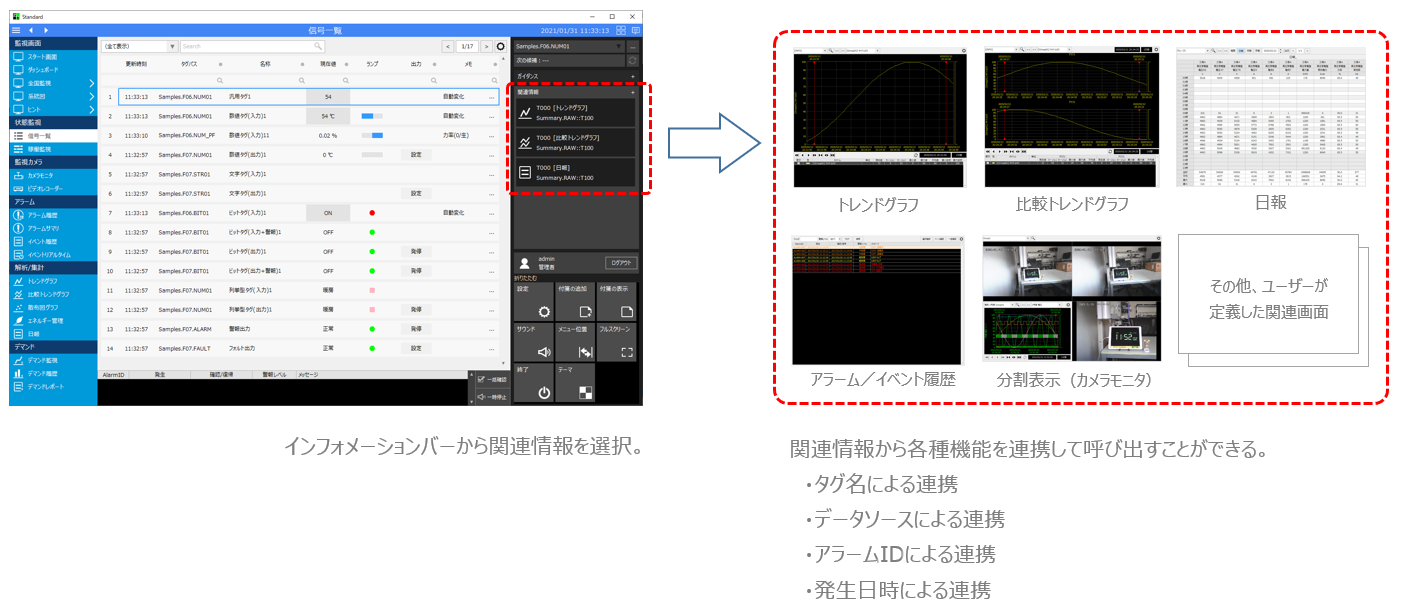
About the Related Information feature
The standard framework comes with a built-in related information function. Related information is information for linking to other functions based on the relationship between tags, data sources, alarm IDs, time information, etc. Standard related information is automatically generated by the system based on the definitions of each function registered in the project. Therefore, users can use related information without having to make complicated settings. For example, if a tag selected from the signal list screen is configured as a target for logging and aggregation processing by summary actions, trend graphs, comparative trend graphs, and daily reports can be called up and displayed from the information bar as related information for that tag.
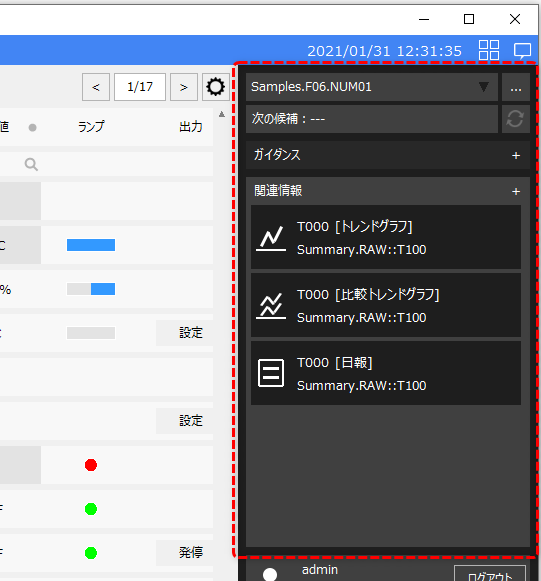
Related information can be selected from the "Information Bar". The Information Bar is usually displayed on the right side of the screen as shown below.
(Example of related information displayed in the information bar)
|
Click the icon below to show/hide the information bar.
The related information displayed changes depending on the information selected. For example, if the selected tag is registered to a summary action, trend graphs, comparative trend graphs, and daily report screens are displayed as candidates. Or, if the tag is registered to an alarm, the alarm screen is displayed as a further candidate.
When you select the desired function from the related information, data will be linked based on the information registered in the related information, and the target function will be displayed in the main area.
For information on how to operate the related information in the information bar, please refer to "How to select related information".
|
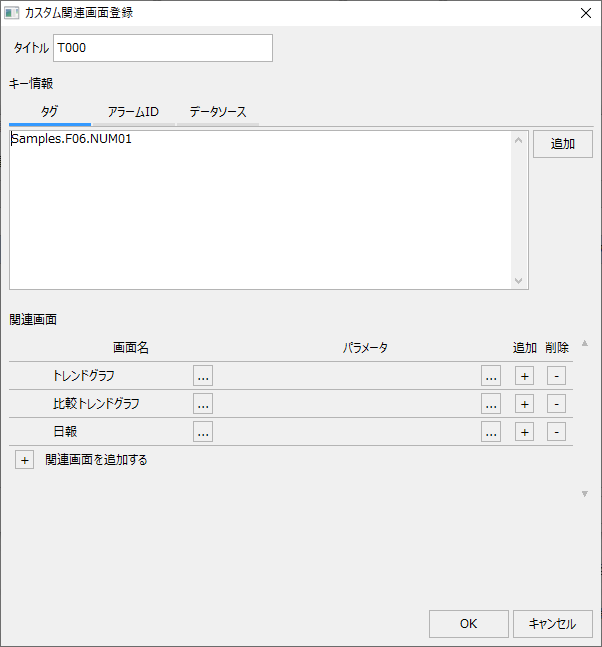
Related information definitions can be freely added or edited while the system is in operation.
(Example of related information registration dialog)
|
By registering your own related information from the settings screen, you can customize the linkage between various functions. For example, you can flexibly define linkages such as linking with the camera monitor from the record of an alarm selected in the alarm history to instantly play back the recorded data at the date and time the alarm occurred, calling up and displaying historical trends in a trend graph from the date and time of the alarm, or instantly calling up the demand monitoring screen from the power usage tag. For details on how to set and register related information, see "Setting and Registering Related Information".
The related information function is useful when you want to analyze data from multiple functions, such as when a problem occurs in a monitored facility. For specific examples of setting up the related information function, please refer to "Examples of using related information".
|