guidance
How to read the manual
This chapter is for reference information only.
For the main part, please refer to "Guidance" in the Surveillance System Construction Guide.
overview
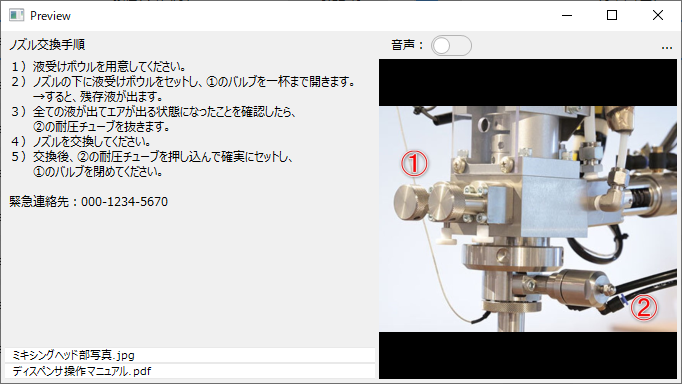
The Guidance Screen Library is a screen library for registering/displaying guidance information. In addition to any memo information (text information), various files such as image files, video files, and PDF files can be registered as guidance information and can be called up by associating them with information such as tags and data sources. Registered guidance information can be called up from related information on the information bar or from a button placed on the graphic screen.
Please refer to the links below for more details.
|
|
|
If any of the following client execution methods are used, you will need to resolve the system file path reference issue in order to display video files in this library.
•Running Panel Browser as an embedded Exe •When running Panel Browser in IE •When Panel Browser is embedded in VB and executed
For more information, see "Important) Regarding path references to system files when running the client".
|

|
The Guidance Screen Library has two screens: "Guidance Viewer" and "Guidance Registration." You can call up the target form depending on your purpose.
|

|
For standard projects built using the standard framework, the guidance function is built in as standard, so there is no need to manually incorporate this library. On the other hand, if you want to incorporate guidance into an original project that does not use the standard framework, you will need to manually incorporate the guidance screen library. |
Connected Action
This screen library does not have any actions that can be connected.