Open the configuration file and run
This section explains how to load and run a client configuration file from the Panel Browser screen.
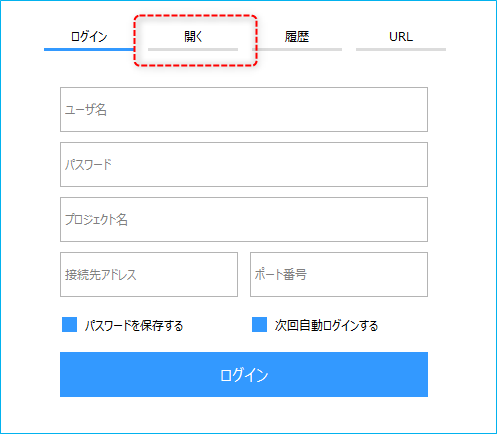
1.When you start Panel Browser, the login screen will be displayed initially.
2.Select the "Open" tab from the screen and a file selection dialog will pop up.
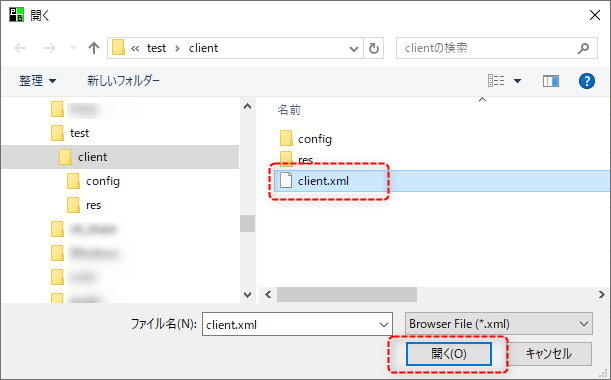
3.When you open the desired client setting file from the file selection dialog, the client screen will be displayed in Panel Browser.
|
If you encrypted the configuration file during the setup process, make sure to open the file with the extension "brw" (e.g. client.brw). |
