Demand monitoring screen library
FA-Panel provides a screen library for demand monitoring.
Screen Library Types |
overview |
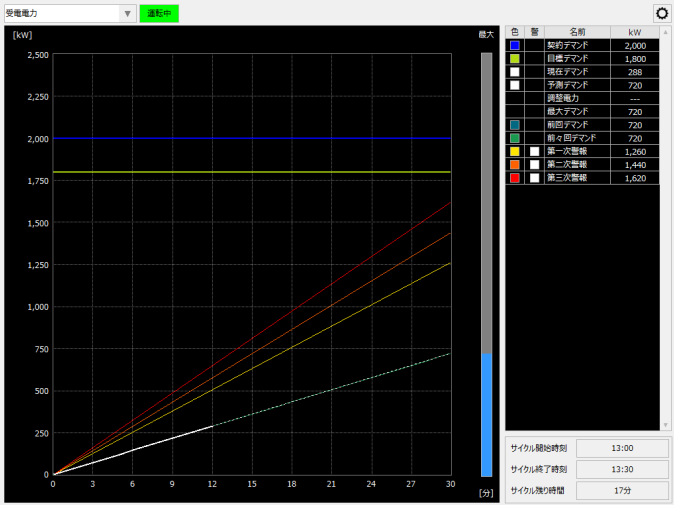
This is the screen for demand monitoring.
(Demand monitoring screen)
|
|
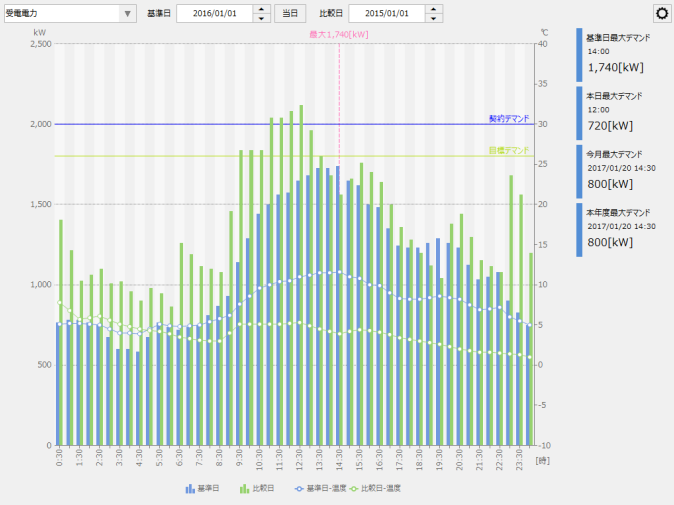
This screen is for displaying a demand history graph (demand curve graph). It is possible to display the history of demand power in 30-minute intervals in a bar graph. The demand history screen library is used in combination with the demand monitoring screen library.
|
|
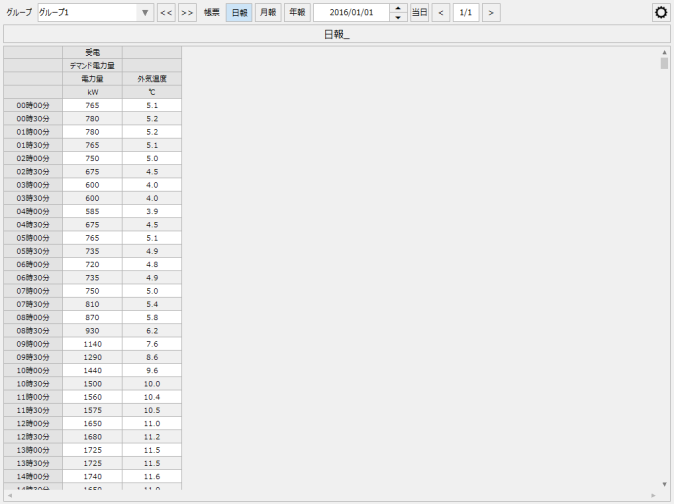
This is a daily report screen for displaying demand history. A normal daily report is compiled every hour, but it is possible to display daily reports compiled every 30 minutes, which is the unit of the demand period. The demand report screen library is used in combination with the demand monitoring screen library.
(Demand Report)
|
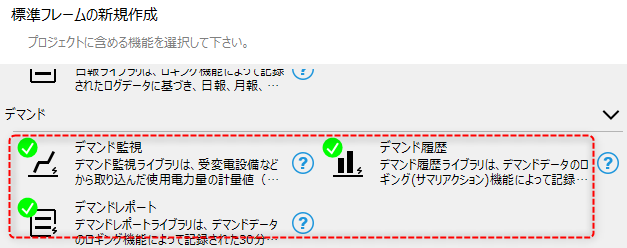
When using the demand monitoring screen library, you can automatically generate a project with the required screen library built in by selecting the demand monitoring function from the wizard screen of the standard framework.
(Standard framework wizard screen)
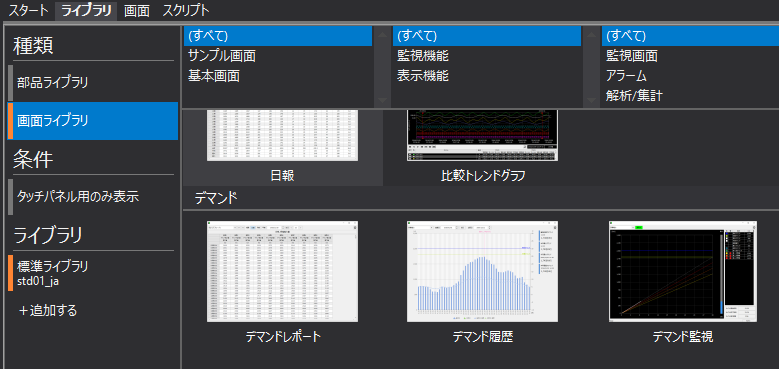
Alternatively, you can manually include and use the desired screen library from the Libraries tab in Panel Editor.
(Library tab in Panel Editor)
|
The demand monitoring function of FA-Panel is intended to use the demand monitoring screen library. The demand monitoring screen library uses a control called "Demand control", but this control is intended to be used as a demand monitoring screen, and its detailed specifications are not disclosed. |
