Demand History
How to read the manual
This chapter is for reference information only.
For the main details, please refer to "Demand monitoring" in the monitoring system construction guide.
overview
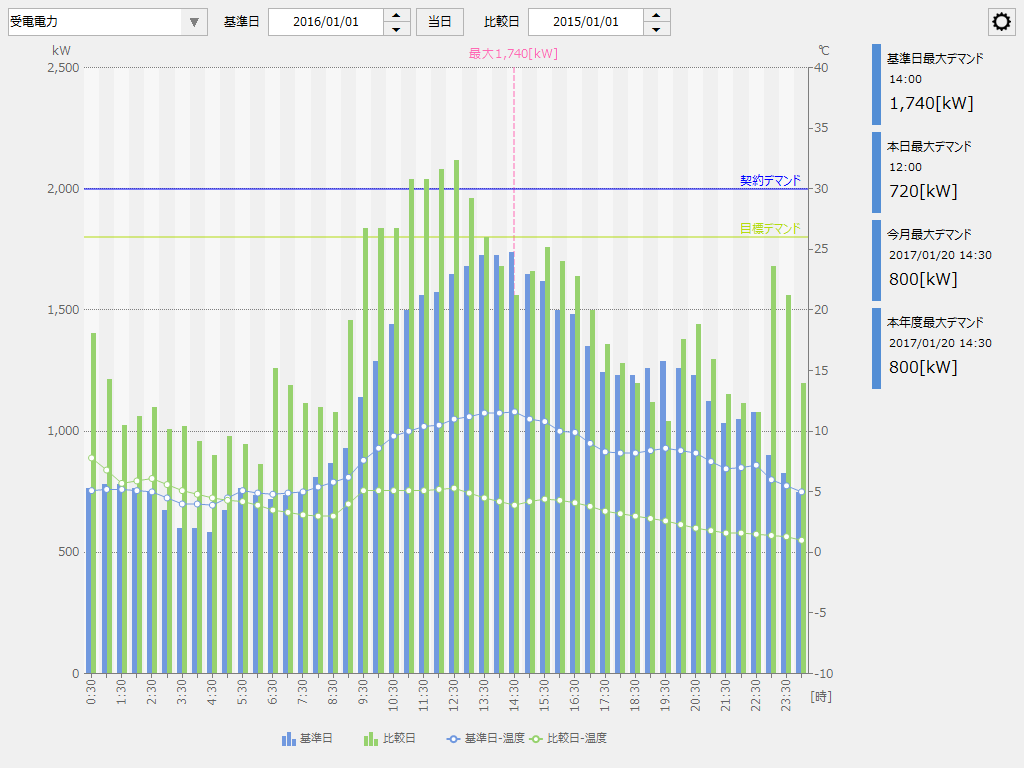
This is a screen library for displaying demand history graphs based on demand log data at 30-minute intervals. It is possible to specify two dates, a base date and a comparison date, and display the demand history for each period side by side in a bar graph. It is also possible to overlay any measurement point such as outside air temperature or humidity as a line graph.
Please refer to the links below for more details.
|
|
Connected Action
Destination Action Name |
explanation |
This is an action for demand monitoring. This screen library connects to the demand action and obtains the necessary information.
|
|
|
|
This screen library is connected to a summary action to obtain and display aggregated data of demand history on a daily (30-minute) basis, monthly basis, and yearly basis.
In the most general configuration, in addition to a summary action for normal logging and aggregation (the "Summary" action in the standard sample), a summary action for recording demand history in 30-minute increments (the "DemandSummary" action in the standard sample) is prepared, and this screen library is connected to the summary action for demand history.
|
The setting information for this screen library is stored on the server side. There are two ways to set it: saving the file via the File server action, or saving it via the "public folder" of Panel Server Panel-Interface. If you use the File server action, define the File server action in Panel Server and specify the action name to connect to in "_FileServerData". On the other hand, if you use the public folder function instead of the File server action, there is no need to define the File server action. |
|
This screen library only supports summary actions. |
