Screen layout design concept
Once the size of the graphic display area has been determined in "Basic considerations for screen size", consider the screen layout.
In a typical monitoring system, multiple graphic screens must be created according to purpose, and the display must be switched according to operations from the screen. For example, in addition to an overall view for monitoring the entire facility and a detailed screen for displaying detailed information about a certain piece of facility, most systems are made up of multiple screen groups, such as function-specific screens for trend graphs and alarm summaries, and the operator can display the desired screen by calling up the screen.
The most basic thing to consider when designing a screen layout is how to implement the screen invocation mechanism.
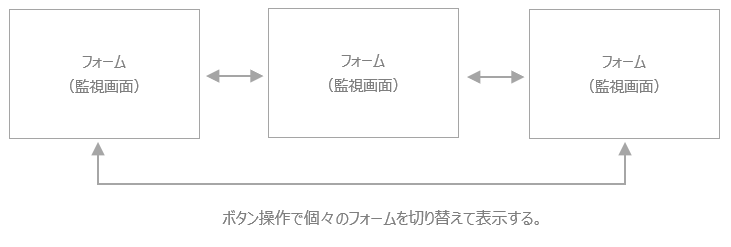
For example, the simplest method is to switch the entire screen with the entire form. In this case, the form is displayed in the entire graphic screen display area of Panel Browser, and the screens are displayed one by one for each form. This method has the advantage of being quick and easy to create, but on the other hand, it has the disadvantage that it is vulnerable to specification changes because it is necessary to prepare a screen calling mechanism individually for each form. Specifically, it is necessary to place and set up buttons for calling each screen one by one in each form, and if there are elements that you want to display in common throughout the system, such as the screen title display or clock display, if there is a specification change in those shared parts, it will be necessary to make changes to all the screens. This method is suitable for small-scale monitoring systems with only a few screens, and is not suitable for cases where there are a large number of graphic screens.
(Image of screen display switching by form)
So, as another approach, there is a method of implementing elements that you want to display commonly on all screens, including the screen switching mechanism, in one parent form, and then embedding each graphic screen into the parent form. With this method, the parent form has elements that you want to display commonly on all screens, such as buttons to call up each screen, common displays such as titles, or alarm summary grids, and each graphic screen is implemented individually in a child form. Then, place "View control" in the parent form to divide the screen, and then embed and display the child form there. This method can flexibly respond to changes in the specifications of the common parts, and is particularly effective in systems with a large number of forms.
(Image of screen splitting using View control)
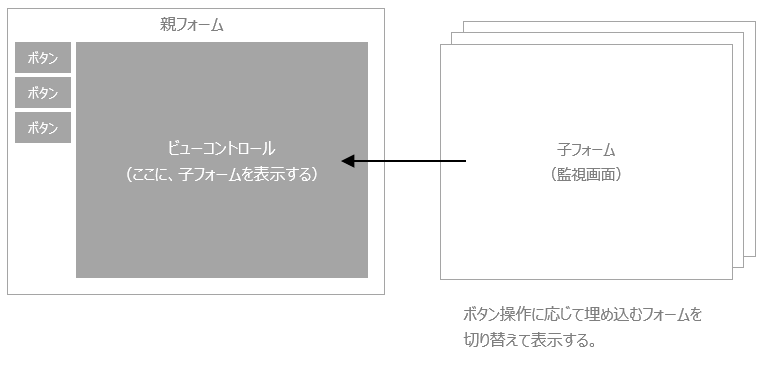
In the following explanation, we will explain how to split the screen using View control.
Example of split screen
Below are some specific examples of screen splitting using View control.
■ Split layout example 1
When designing a layout like the one below, the screen layout should be divided into three areas: "common display," "menu display," and "graphic screen display."
(Split screen image)
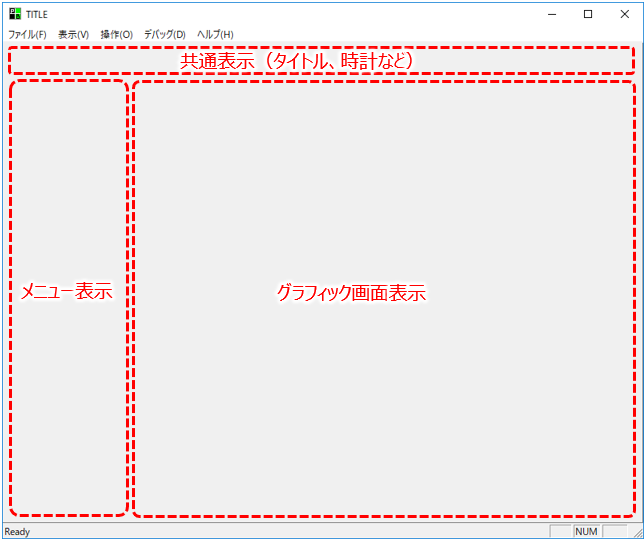
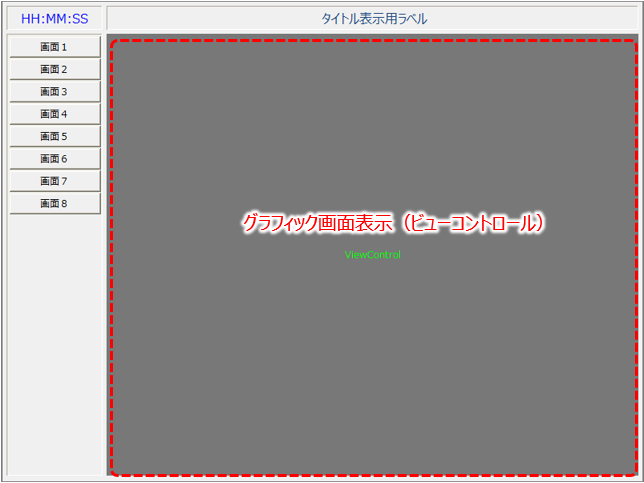
In the case of the above layout, the common display and menu display parts are implemented on the parent form, and the child forms of each graphic screen are displayed in the central View control by button operation.
Below is an example of an actual layout.
■ Split layout example 2
When designing a layout like the one below, the screen layout can be divided into four areas: "Common display," "Menu display," "Graphic screen display," and "Alarm summary."
(Split screen image)
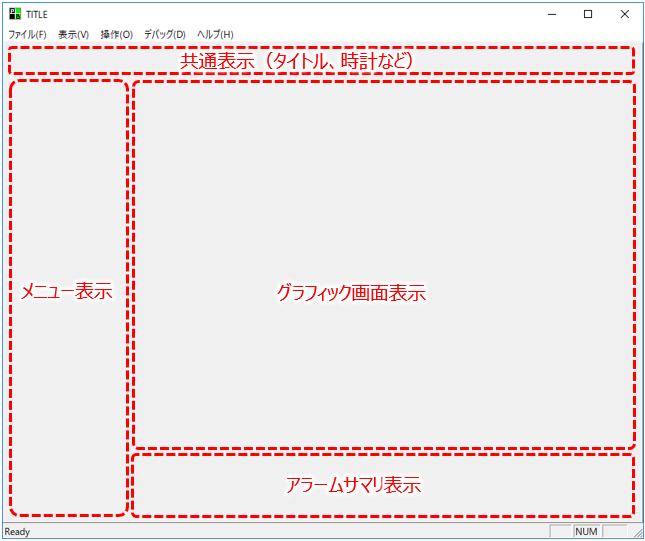
In the case of the above layout, the common display, menu display, and alarm summary parts are implemented on the parent form, and the child forms of each graphic screen are displayed in the central View control by button operation.
Below is an example of an actual layout.
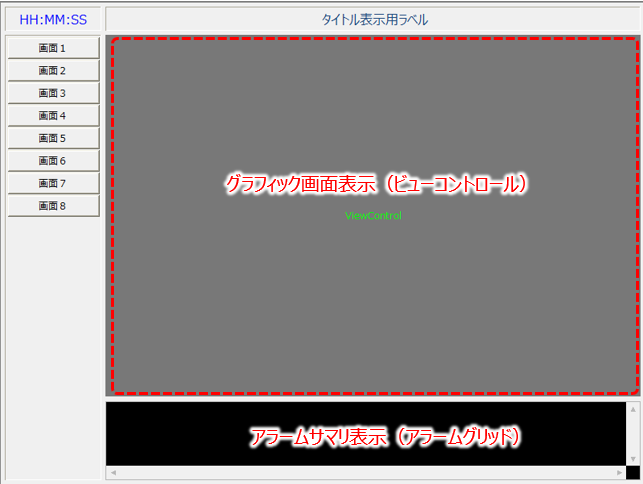
|
In addition to switching the display using buttons, screen call processing can also be implemented using scripts that use "SideMenu control". The standard framework's screen switching menu is implemented by SideMenu control. |
