Calling a form with a button
Custom forms added to a standard project can also be called from buttons placed on the form. There are two ways to call a form from a button: using the screen call button part from the parts library, or calling it from a script using Button control. This method can also be used to implement screen call processing if you have created a classic menu without using a side menu or full menu.
Each method is explained below.
■ Use the parts library screen call button
The parts library provides parts for calling forms.
From the Library tab, narrow down your search to "Basic Parts" and "Function Buttons", and select the button part labeled "OpenForm" (fncOpenForm).
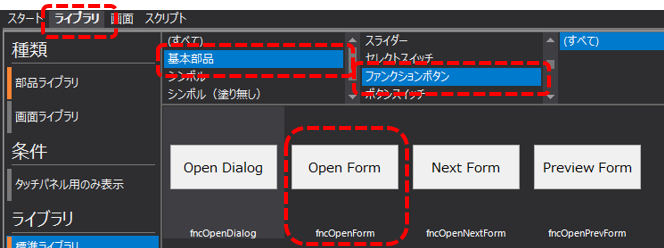
Place the above parts on the calling form.
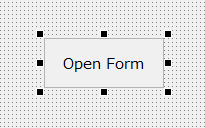
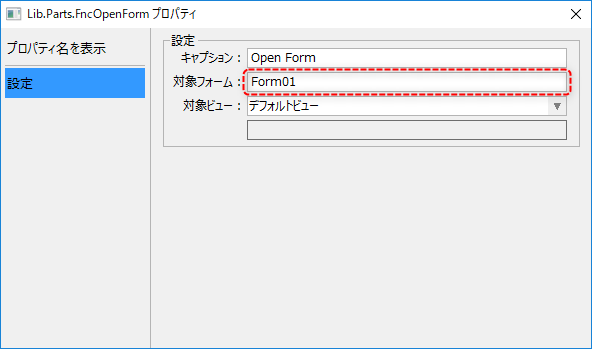
Open the properties dialog of the screen call button part and specify the name of the form to be called in "Target Form" (_TargetForm custom property).
(Screen call button properties dialog)
|
For information on how to use the part library, please refer to the description in "Using the Part Library". |

■Using Button control
You can also use Button control to write a process to call the form using a script.
Paste Button control into the calling form and open the script.
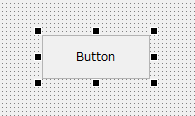
From the script editor, add the OnMouseUp event and write the following code.
event OnMouseUp(button)
{
	::OpenViewForm("viewMain","Form01");
}
Key points for describing the process:
•Use the OpenViewForm root method (not OpenForm).
•Specify "viewMain" as the first argument.
•The second argument is the name of the form to be called.
|
In the standard framework, "View control" is used to display the main display area, so to switch forms using scripts, use the OpenViewForm method instead of the OpenForm method. For details about the specifications of Button control and View control and the OpenForm and OpenViewForm methods, please refer to "Control Reference". |