Adding a Form to a Menu
To call up the custom form you added to the standard project from the side menu or full menu, you need to edit the menu from the system settings screen of the standard framework. Please perform the following operations while both Panel Server and Panel Browser are running online.
■ Menu editing from the system settings screen
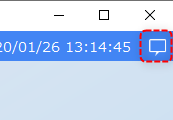
The system settings screen can be accessed from the settings button (settings icon). The settings button is usually located in the information bar. If the information bar is not open, click the following icon (usually located in the top right corner of the screen).
Click the "Settings" icon located at the bottom of the information bar.
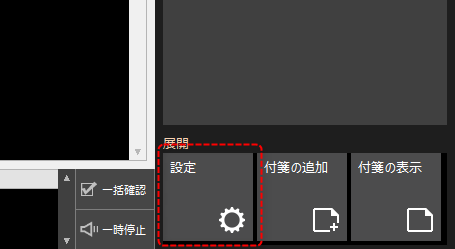
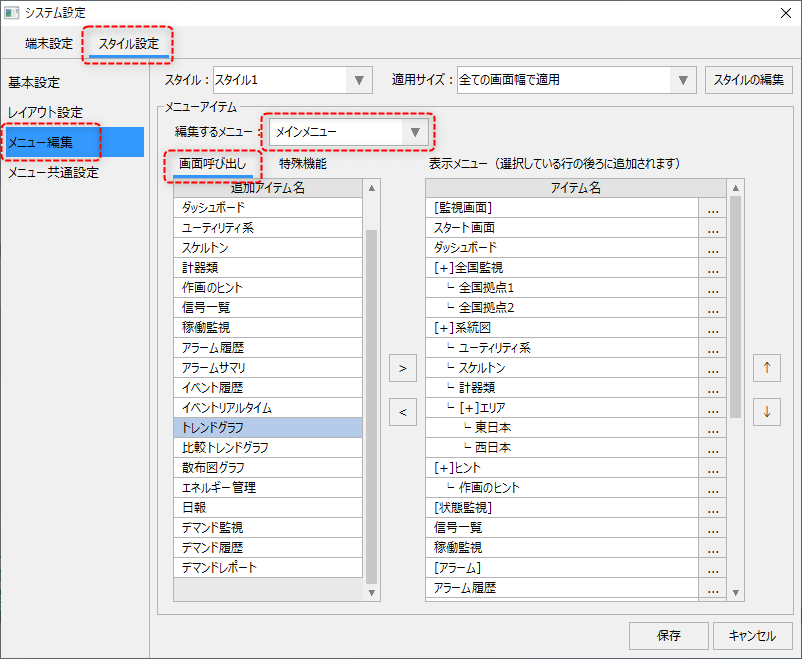
This will bring up a pop-up system settings screen where you can freely edit the display position, display contents, etc. of the standard framework menu.
(System settings screen)
|
Editing Instructions:
1.Select the Styling tab.
2.Select "Edit Menu" from the menu on the left.
3.Select "Main Menu" from the menu you want to edit.
4.Select "Screen Call" from the tabs in the list on the left.
5.The names of the screens that can be called up are displayed in a list. Select the screen to add from the list on the left, select the position to add it to from the list on the right, and click the right button in the center of the screen.
To edit the menu display order, use the up and down arrow buttons on the right side of the screen.
|
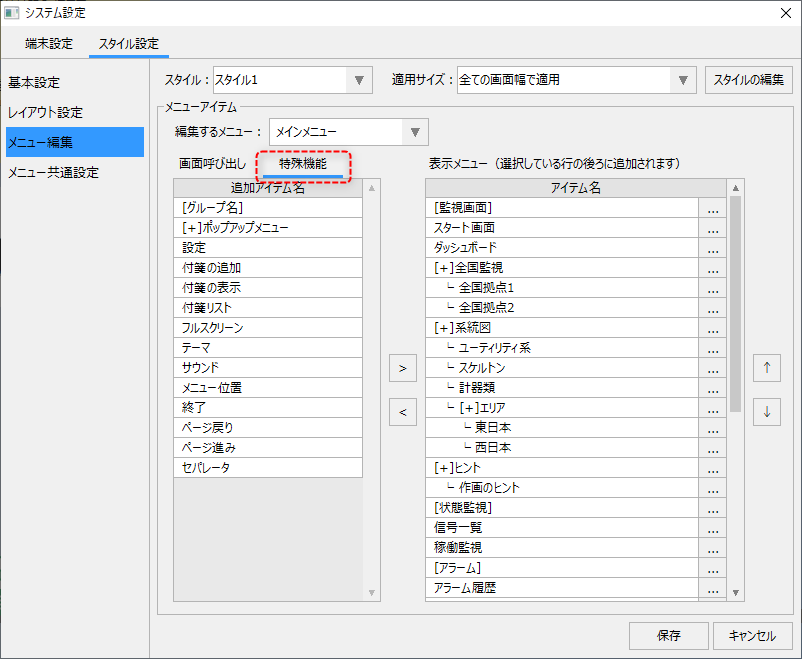
If you want to add a group or pop-up menu to the menu, please refer to the following.
|
Editing Instructions:
1.Select "Special Features" from the tabs in the list on the left.
2.To add a group, select the group name from the list.
3.Select the location to add in the list on the right and click the right button in the center of the screen.
If you want to change the group name, etc., you can edit it by clicking the settings button "..." for each row in the list on the right.
|
For details on editing menus, see "Editing Menus" in this chapter.
|
The menu editing list on the system settings screen only displays forms whose "MenuCandidate" property is True. Therefore, if you want to add your own form and display it in the menu, make sure to set the "MenuCandidate" property of the added form to True. |
