Enabling the Information Bar Later
Projects built with the Information Bar disabled in the Standard Framework wizard can still have the Information Bar enabled later.
■How to set up
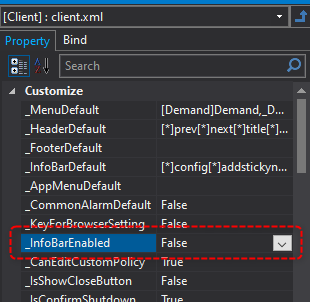
If you want to enable the information bar later, display the properties of client.xml from the property page of Panel Editor and change "_InfoBarEnabled" to "True".
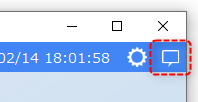
With the above settings, an icon for calling up the information bar will be displayed in the header area.
|
Projects that are built with the information bar disabled in the wizard when creating a new project are set to display the following setting icons in the header area. Even if you later enable the information bar, the following setting icons will remain. If you later want to delete these setting icons, you can hide them by editing the menu in system settings. For information on how to edit the menu, see "Editing the Menu".
|