overview
There are times when you want to return some information set on the user dialog screen to the form that called the dialog. For example, you might want to display a parameter input dialog, return the setting value entered in the dialog to the form that called the dialog, and perform processing based on the setting value in the calling script.
In cases like this, you can use the common event "OnCommonEvent". OnCommonEvent is an event that is available to all objects and can be generated freely by calling the common method "CallCommonEvent". For example, by calling CallCommonEvent from a dialog to generate OnCommonEvent, you can pass parameters via the event arguments.
Example of implementation to receive processing results from a dialog
This section explains how to receive the processing results from a dialog using the common event "OnCommonEvent" and the common method "CallCommonEvent".
(Target sample: e.g.3)
•Dialog calling form: Form01
•Form to display as a dialog: Form04
(Processing Contents)
•In Form01, place one Button control to call the dialog, and one label to display the result received from the dialog. When calling the OnMouseUp event of the button, specify your own object (this, i.e. Button control itself) as the open parameter when calling the OpenDialog method, and display Form04 as a dialog. Also, in the OnCommonEvent event of Form01's Button control, display the value received via the event in the label.
•On Form04, place one Button control to close the dialog box itself, and one edit box to enter an arbitrary value. In the OnInitialize event of Form04, extract the caller object passed by this from the open parameter and store it in the form's variable. In the OnMouseUp event of the button, call the CallCommonEvent method to generate a OnCommonEvent of the caller object. For the value parameter passed to the CallCommonEvent method, specify the Text of the edit box (the value of the edit box).
■ Implementation of Form01
Place one button and one label. For the sake of example, let's name the label Label1.
In the button's OnMouseUp event, write the code to call Form04 as a dialog (OpenDialog method). As an example, write the open parameter name as "Target" to include "this", which points to the button's own object. Please note that the "MAP" route method is used to include the object in the parameter. The open parameter is specified in the third argument of OpenDialog. The second argument (dialog parameter) will not be specified this time, so leave it blank.
Next, define the OnCommonEvent event for the button and write the process to display the value received from the dialog in the label. As an example, in this example, if the result is from Form04, the string "Form04Message" will be passed to name, and an if statement will be used to make the determination.
event OnMouseUp(button)
{
	var vOpenParam = ::MAP("Target", this);
	::OpenDialog("Form04","",vOpenParam);
}

event OnCommonEvent(name,value)
{
	if(name == "Form04Message") {
		parent.Label1.Text = value;
	}
}
■ Implementation of Form04
Place one button and one edit box. For the sake of example, let's name the edit box Edit1.
Define "vTarget" as a global variable for Form04. Define the OnInitialize event for the form and write code to extract "Target" from the open parameters using the GetOpenParam method and assign it to the global variable "vTarget".
var vTarget;

event OnInitialize()
{
	vTarget = this.GetOpenParam("Target");
}
Next, write a process to call CallCommonEvent in the button's OnMouseUp event. By writing it as shown below, the OnCommonEvent of the object pointed to by "parent" from the button, that is, the calling object stored in the global variable "vTarget" of the Form04 form, will be called. As an example, write it so that the string "Form04Message" is passed to the first argument (name), and the Text of Edit1 is passed to the second argument (value).
After that, write the code to close the dialog (the CloseDialog method). For details on closing the dialog, see the implementation example in "Displaying a form as a dialog".
event OnMouseUp(button)
{
	parent.vTarget.CallCommonEvent("Form04Message",parent.Edit1.Text);
	::CloseDialog(parent.GetDialogName());
}
■ Operation check
Run Panel Browser and display Form01.
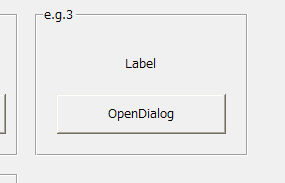
At this stage, the label value is "Label".
When you click the button, Form04 will be displayed in the dialog.
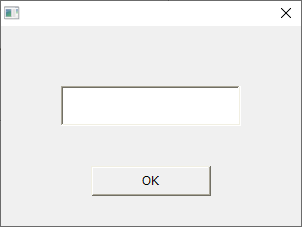
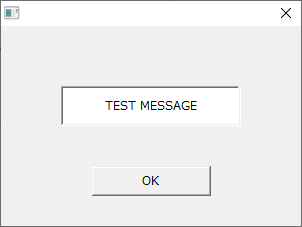
Enter any string in the edit box of the dialog and click the OK button.
Here, we have entered "TEST MESSAGE" as an example.
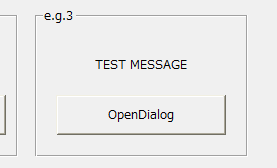
The string entered above will then be displayed in the Form01 label.