Operation monitoring
How to read the manual
This chapter is for reference information only.
For the main part, please refer to "Operation monitoring" in the monitoring system construction guide.
overview
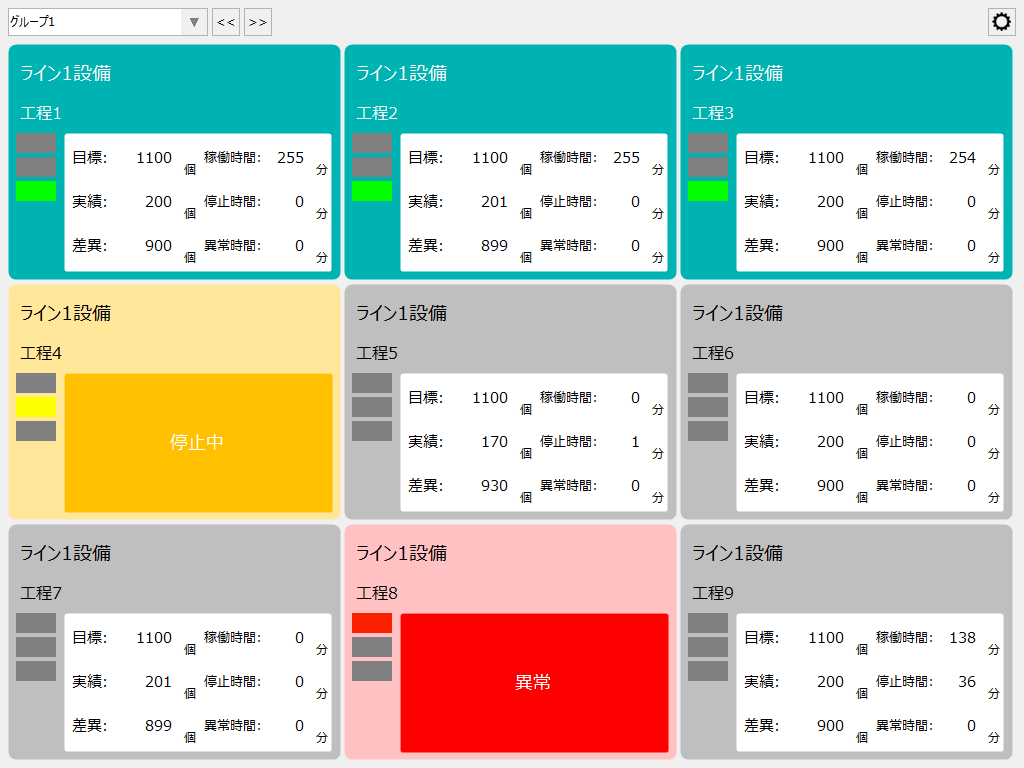
The operation monitoring screen library is a screen library for monitoring the operation status of production equipment. It includes functions for collecting equipment data, and displaying operation status, abnormal conditions, etc., as well as displaying the operation rate, production progress, and operation status in a Gantt chart.
Please refer to the links below for more details.
|
|
Connected Action
Destination Action Name |
explanation |
|
|
Summary actions are actions for logging and aggregation. This library connects to summary actions to obtain and display daily and monthly aggregated data. Summary actions can register multiple actions and run simultaneously. For operation monitoring, in addition to the summary action for normal daily report aggregation, one summary action is prepared exclusively for aggregation of the operation monitoring function. In the standard project, a summary action called "MachineStatus.Summary" is registered, and it is set up to automatically log and aggregate information required for operation monitoring. |
|
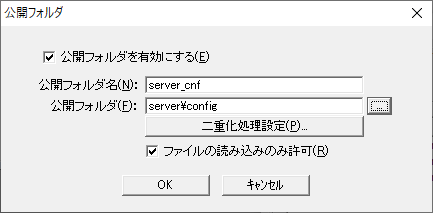
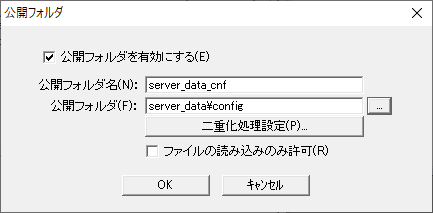
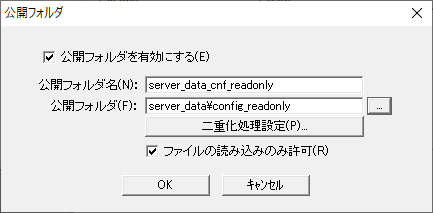
Various setting information registered from this library screen is saved on the server side via the "public folder" defined in Panel Server's Panel-Interface. For operation monitoring, three definitions are required for the public folder name in Panel-Interface: "server_cnf", "server_data_cnf" and "server_data_cnf_readonly". If a public folder has not been created, please refer to the following to create a public folder from the Panel-Interface settings screen of Panel Server. For information on how to register a public folder, please refer to "Panel-Interface Basics".
(Panel-Interface public folder settings: server_cnf)
•Enable public folder: Check •Public Folder Name: server_cnf •Public folder: server\config •Allow reading of files only: Check
(Public folder settings for Panel-Interface: server_data_cnf)
•Enable public folder: Check •Public Folder Name: server_data_cnf •Public folder: server_data\config •Allow file reading only: Uncheck
(Panel-Interface public folder settings: server_data_cnf_readonly)
•Enable public folder: Check •Public Folder Name: server_data_cnf_readonly •Public folder: server_data\config_readonly •Allow reading of files only: Check
|