About the basic parts
Basic parts in the part library are library parts that perform basic displays/operations on the monitoring screen, such as numeric displays and lamp displays.
The parts library contains a wide variety of basic parts that are frequently used on monitoring screens, such as numeric displays, numeric inputs, lamp displays, button switches, and select switches. A feature of the parts library is that library parts do not require tag binding definitions, and can be easily operated by simply setting tag paths for custom properties such as input tags (_TagIn) and output tags (_TagOut). The functions provided by the parts library can be built from scratch using basic controls such as Label control, Button control, and edit controls, but by using the parts library, you can easily build displays and operation switches without having to go through the trouble of setting individual properties.
The following types of parts are available as basic parts in the part library.
Part Name |
Display example |
Commentary |
|
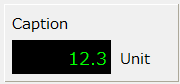
The numeric display is a component for displaying the numeric values received from the tag. |
|
|
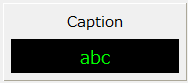
Character Display 1 is a component for displaying the character string received from the tag. |
|
|
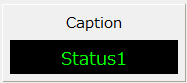
Character Display 2 is a component that replaces the value received from the tag with a string previously defined in the custom property and displays it. |
|
|
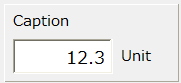
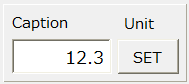
Numeric Input 1 is a component for writing the numerical value entered on the screen to a tag. When the edit is confirmed, the value is written to the input/output tag. |
|
|
Numeric Input 2 is a component for writing numbers entered on the screen to a tag. After editing the value, click the Confirm button to write the value to the input/output tag. |
|
|
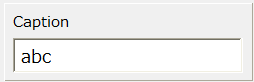
Text Input 1 is a component for writing text entered on the screen to a tag. When the edit is confirmed, the value is written to the input/output tag.
|
|
|
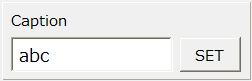
Text Input 2 is a component for writing text entered on the screen to a tag. After editing the value, click the Confirm button to write the value to the input/output tag.
|
|
|
A lamp switch is a component that displays the value received from a tag as a lamp. It also has a switch function for ON/OFF operation, so in addition to using it as a simple lamp, it can also be used as both a lamp and a switch. |
|
|
Button switch 1 is a component for ON/OFF operation with a single button. It also has a lamp function that indicates the current status as a button color, so it can also be used as both a lamp and a switch. |
|
|
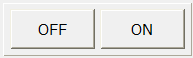
Button switch 2 is a component for ON/OFF operation using two buttons. It also has a lamp function that indicates the current status as a button color, so it can also be used as both a lamp and a switch. |
|
|
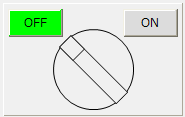
The alternate switch is a component that switches the tag between ON and OFF. |
|
|
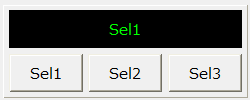
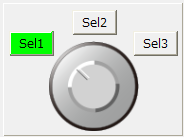
The select switch is a component that writes the selected value (numeric value) by pressing a button to a tag. |
|
|
Image lamps are components for displaying lamps using image files. Switches between displaying two image files using the ON value and the OFF value. |
|
|
The image switch is a component for ON/OFF operation using an image file. It can be used as both a lamp and a switch. |
|
|
Image Select is a component for lamp display using image files. Switches the display of up to 10 types of image files. |
|
|
The image select switch is a component that writes the selected value (numeric value) to a tag by selecting a button. It supports value switching using three buttons, and displays the selector part as an image.
|
|
|
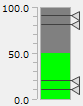
Bar Meter 1 is a component that displays the numerical value received from the tag on a bar meter. |
|
|
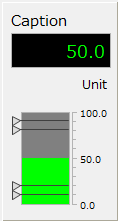
Bar Meter 2 is a component that displays the numerical value received from the tag on a bar meter. In addition to the meter display, it also has a numerical display. |
|
|
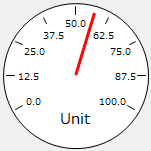
Analog meter 1 is a component that displays the value received from the tag with a meter needle. |
|
|
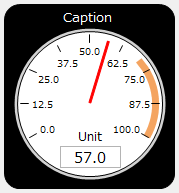
Analog Meter 2 is a component that displays the value received from the tag with a meter needle. In addition to the meter needle display, it also has a numerical display and a zone display.
|
|
|
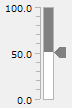
Slider 1 is a component used to write the number entered on the screen to the tag. Write to the input/output tag by operating the slider with the mouse. |
|
|
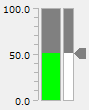
Slider 2 is a component used to write the number entered on the screen to the tag. By operating the slider with the mouse, data is written to the input/output tag, and the current value is displayed in real time on the attached bar meter. |
|
|
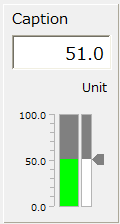
Slider 3 is a component used to write the number entered on the screen to the tag. By operating the slider with the mouse, data is written to the input/output tag, and the current value is displayed in real time on the attached bar meter. Editing is also possible using the edit box. |
|
|
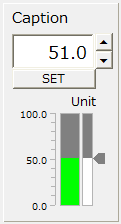
Slider 4 is a component used to write the number entered on the screen to the tag. By operating the slider with the mouse, data is written to the input/output tag, and the current value is displayed in real time on the attached bar meter. Editing is also supported using the edit box and the confirm button. |
|
|
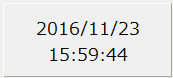
A digital clock is a device that displays the time. |
|
|
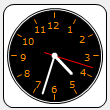
An analog clock is a device that displays the time. |
|
|
Sound Select is a component for playing sound files (WAV). |
|
|
Sound Stop is a component that stops the sound being played with Sound Select. |
|
|
The sound enable/disable switch is a component that switches sound selection on/off. |
|
|
You can connect to a network camera to display videos or play video files. |